Best Website Builders for Consultants (2026) — And Why Most Still Don't Convert
Any builder can create a website.
Wix. Squarespace. Webflow. WordPress. Framer.
All of them work.
But almost every consultant website still converts poorly — often under 4%.
Why?
Because the builder you choose doesn't matter as much as what you do with it.
In 2026, two forces determine whether your website actually converts:
- Speed (technical performance)
- Flow (intake system design)
Most consultants fail at both.
Speed matters first. Visitors leave within 2–3 seconds if your site doesn't load. That's not a design problem. That's a performance problem.
Flow matters second. Even if your site loads fast, if the path to conversion isn't clear, they leave. That's not a copy problem. That's a system problem.
We've reached what can only be described as "peak builder" — you can launch a visually stunning, mobile-optimized website in hours. Design is no longer scarce. Technical excellence is. And that's where conversion actually happens.
If You're Going DIY — Here's What Actually Works
Let's be practical. If you must build your own site (which most consultants do), here's the grounded recommendation.
Choose a builder that balances three things:
- Speed (sub-3 second load)
- Structure (scalable content system)
- Simplicity (you can actually maintain it)
Top Practical Picks (DIY Reality)
| What You Need | Choose | Why |
|---|---|---|
| Best overall | Webflow | Clean code, strong hosting, native CMS |
| Fastest launch | Framer | Rapid iteration, modern UX |
| Simplest | Squarespace | All-in-one, no learning curve |
| Budget start | Wix | Accessible, flexible design |
| SEO + scale | WordPress | Control, but requires skill |
Critical understanding: Your builder choice impacts performance. Your system design impacts revenue. Get the builder right. But don't mistake it for a conversion system — it's just the foundation.
Stop Leaking Clients Before They Even Speak to You
Every broken intake step filters out high-value clients silently — missed context, weak qualification, friction at the wrong moment. This isn’t a traffic problem. It’s a system leak. We fix it at the root.
The Complete Breakdown: 10 Website Builders for Consultants (2026)
1. Webflow — Best Overall for Performance + Scale
Why it wins:
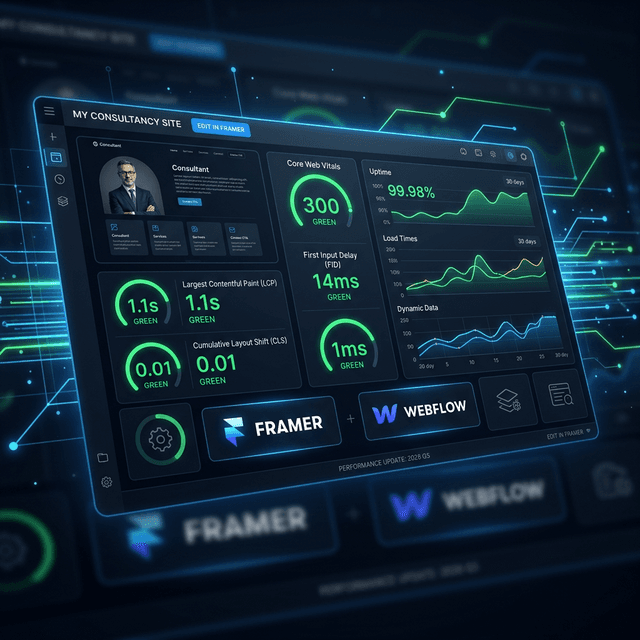
- Clean HTML/CSS output → better Core Web Vitals
- Strong, fast hosting infrastructure
- Native CMS for structured content
- Pixel-perfect design control
- Built-in SEO + image optimization
Performance reality:
- Default load time: 1.2–2.0s (good)
- LCP optimization: Solid by default
- CLS control: Strong with proper discipline
Weakness: Learning curve (not drag-and-drop simple). Pricing scales with data transfer (can surprise you).
Best for: Consultants who want to build real infrastructure, not just pages. If you're willing to learn, Webflow is closest to a performance-ready foundation.
Cost: $14/mo (basic) → $99/mo (production)
2. Framer — Best for Speed + Iteration
Why it wins:
- Extremely fast deployment (hours, not weeks)
- Built for modern UX + interaction design
- Figma-like interface (designers love it)
- Good default performance
- Great for landing pages + split testing
Performance reality:
- JavaScript-heavy rendering
- Load time: 1.5–2.5s typically
- Can degrade with complex interactions
Weakness: Limited backend logic. Weak CMS for multi-page content systems. Not designed for complex funnels.
Best for: Fast-moving consultants, tech-savvy founders, design-led teams. If you need to iterate rapidly and look modern, Framer wins.
Cost: Free → $15/mo (teams)
3. WordPress — Best for SEO Control (If You Have Support)
Why it wins:
- Full ownership + control
- Massive plugin ecosystem
- Unmatched SEO flexibility
- Scales infinitely
Performance reality:
- Default: 2.5–4.0s+ (heavy)
- Plugin bloat is the killer
- Requires optimization discipline
Weakness: Maintenance overhead. Plugin conflicts break sites. Performance depends entirely on setup. "Frankenstein stack" problem.
Best for: Content-heavy consultants with SEO ambitions AND technical support (or budget for a developer). If you're building a content moat, WordPress is the only platform that gives you total control.
Cost: ~$200/year hosting + plugins ($500–2000/year)
4. Squarespace — Best for Simplicity + Brand Perception
Why it wins:
- All-in-one solution
- Beautiful templates out of the box
- Built-in scheduling (Acuity integration)
- Minimal technical maintenance
- Consistent performance
Performance reality:
- Load time: 1.8–2.5s (solid)
- Good Core Web Vitals by default
- Limited optimization control
Weakness: Limited funnel customization. Can't experiment aggressively with layout. Integration constraints.
Best for: Consultants who want professional results without technical overhead. Great for brand perception. Good baseline, limited ceiling.
Cost: $18/mo → $99/mo
5. Wix — Best for Beginners (Understand the Trade-offs)
Why it wins:
- Easiest to use
- Flexible design freedom
- Large template library
Performance reality:
- Load time: 2.0–3.5s (inconsistent)
- Performance varies by template
- Less control over optimization
Weakness: Can't switch templates after building (hard pivot = rebuild). Weak technical control. Vendor lock-in.
Best for: Solopreneurs launching fast, testing niches. Not for serious scale.
Cost: $16/mo → $35/mo
6. Shopify — Productized Consulting Only
Why it wins: Designed for transactions. Stable infrastructure. Complex pricing logic available.
Weakness: Built for product, not service funnels. Not ideal for consultation-based consulting.
Best for: Consultants selling fixed packages (audits, templates, workshops). NOT ideal for custom service engagements.
Cost: $29/mo → $299/mo
7. Ghost — Content-Led (Newsletter First)
Why it wins: Optimized for writers. Beautiful membership system. Strong SEO.
Weakness: Not a full funnel system. Limited service page customization.
Best for: Thought leaders using content + newsletter as primary lead generation.
Cost: $11/mo → $119/mo
8. HubSpot CMS — Enterprise Pipeline (Overkill for Most)
Why it wins: Unified CRM + website. Full lifecycle tracking.
Weakness: Expensive for small consultancies. Requires full RevOps setup to use properly. Over-engineered for most use cases.
Best for: High-revenue firms ($2M+) that already have RevOps infrastructure.
Cost: Free starter → $800+/mo enterprise
9. Carrd — Minimalist One-Pager
Why it wins: Ultra-fast ($19/year). Minimal setup time. Perfect for testing.
Weakness: One-page ceiling (no scalability). Limited analytics.
Best for: Testing new niches, lead magnet landing pages, "link in bio" hubs.
10. Showit — Creative Control + Brand Freedom
Why it wins: True blank canvas (no grid constraints). Pixel-perfect mobile customization. Great for visual-first brands.
Weakness: Requires external integrations for everything. Fragmented tracking. Performance varies by setup.
Best for: Visual designers, creative practitioners, brand-first consultants.
Pattern Break: All Build Pages. None Build Pipeline.
This is the industry-wide limitation that nobody wants to admit.
Every builder above optimizes for layout, content, and visual hierarchy.
None of them are designed to handle:
- Lead qualification
- Real-time routing
- Decision acceleration
- Pipeline orchestration
This is where most consultant websites die silently.
The Hidden Killer: Website Speed & Core Web Vitals
Even before conversion logic, most consultant websites fail at something more fundamental: they are too slow.
Why Speed Matters (More Than You Think)
- Visitors leave within 2–3 seconds if a page doesn't load
- Google ranks based on Core Web Vitals (confirmed ranking signal)
- Slow sites reduce trust subconsciously
- Each 100ms delay = ~1% conversion loss
2026 Performance Benchmarks
Target Load Times:
- < 3 seconds = acceptable
- 1–2 seconds = excellent
- > 4 seconds = losing deals
Core Web Vitals (CWV):
| Metric | Target | What It Is |
|---|---|---|
| LCP (Largest Contentful Paint) | < 2.5s | How fast main content appears |
| CLS (Cumulative Layout Shift) | < 0.1 | How much the page jumps around |
| INP (Interaction to Next Paint) | < 200ms | How responsive buttons/forms feel |
| TTFB (Time to First Byte) | < 600ms | Server response speed |
Real consultant website averages (what we see in the wild):
- LCP: 3.2–4.5s (too slow)
- CLS: 0.15–0.25 (noticeable jank)
- INP: 250–400ms (sluggish feel)
Why DIY Websites Fail Performance
1. Heavy Templates — Pre-built themes include 20+ unused scripts. You're paying for bloat you'll never use.
2. Plugin Bloat (WordPress) — Each plugin adds JavaScript + database queries. 10 plugins = 10 extra loads.
3. Unoptimized Media — Large images, wrong formats, no compression. Solution: Use WebP/AVIF, compress to <200KB per image.
4. No Caching Strategy — Everything loads from scratch on every visit. Solution: Enable browser caching + server-side caching.
5. Third-Party Bloat — Chat widgets, analytics, email capture forms — each adds latency. Solution: Lazy-load non-critical scripts.
6. Poor Hosting — Cheap hosting = slow server response times (TTFB 1500ms+). Solution: Use CDN + decent hosting ($20+/mo minimum).
Practical Speed Optimization (DIY Consultant Stack)
Image Optimization:
- Use WebP/AVIF format (30% smaller than JPEG)
- Compress to 50–100KB per image
- Lazy-load images below the fold
Script Management:
- Remove unused plugins (WordPress)
- Defer non-critical JavaScript
- Remove tracking code until post-conversion
Caching:
- Browser caching (leverage browser caching headers)
- CDN (Cloudflare free tier is solid)
- Server-side caching (built-in on most platforms)
Critical Path:
- Inline critical CSS (above the fold)
- Defer render-blocking resources
- Minimize CSS/JS files
Builder-Level Performance Reality
| Platform | Default Load Time | CLS Score | Control Level | Optimization Effort |
|---|---|---|---|---|
| Webflow | 1.2–2.0s | Good | High | Medium |
| Framer | 1.5–2.5s | Good | Medium | Medium |
| Squarespace | 1.8–2.5s | Good | Low | Low |
| WordPress | 2.5–4.0s+ | Varies | Very High | High |
| Wix | 2.0–3.5s | OK | Low | Medium |
Reality check: Platform matters, but setup matters more. A poorly configured Webflow site will be slower than a well-optimized Wix site.
The Web-to-Pipeline Gap: Where Deals Actually Die
Even if your site loads in 1 second — you still lose deals here:
Visitor → Homepage → Reads copy → Clicks "Contact" → Fills form → Waits for response → Checks email 2 hours later → Finds typo in form submission → Loses momentum → Leaves
That delay kills conversion.
The Psychology Layer (Why Users Don't Convert)
1. Choice Overload (Hick's Law) Multiple CTAs on the same page → "I'll think about it" → They never return.
2. Cognitive Load Users have to "figure out" your service → Decision fatigue → They go to a competitor's clearer site.
3. Risk Sensitivity (High-Ticket) High-ticket decisions amplify hesitation → Need "proof" before committing → They want to talk to someone first.
4. Speed-Based Trust Decay No response within 5 minutes → Trust erosion → They assume you're not responsive.
The Missing Category: Authority Gateway
A website is passive. An Authority Gateway is operational.
From Website → Client Intake System
| Traditional Website | Authority Gateway |
|---|---|
| Static pages | Dynamic qualification flows |
| Contact forms | Pre-screening questionnaires |
| Manual follow-up | Instant routing + response |
| Leads (unqualified) | Pipeline (qualified) |
| Wait for email | Instant scheduler |
| Delayed response | Real-time engagement |
What a High-Converting Intake System Actually Does
1. Pre-Qualification Filter out low-intent leads before human involvement. Asks qualifying questions upfront. Disqualifies poor fits immediately.
2. Real-Time Scheduling No back-and-forth emails. Visitor books directly into your calendar. Confirmation instant.
3. Instant Response Layer AI or human responds within seconds. Captures momentum at peak intent. No "I'll get back to you" delay.
4. Pipeline Visibility Tracks every lead stage (not just submissions). Shows where drop-off happens. Enables data-driven fixes.
Speed-to-Approval: The New Competitive Edge
The fastest firm wins.
Not the best-designed. Not the most articulate. The fastest to: respond, qualify, engage, confirm.
This is where most consultants lose deals silently.
Response Time = Conversion Rate
| Response Time | Competitive Position |
|---|---|
| 1 minute | Elite level |
| 5 minutes | Competitive |
| 1 hour | Late |
| 24 hours | Irrelevant |
Most consultants are in the 24-hour category.
Where SimpleIntake Fits: The Post-Click Problem
SimpleIntake solves the structural gap most builders ignore.
Traditional flow: Visitor → Form submission → Email sent → Wait → Manual reply hours later → Scheduling back-and-forth → Finally booked (4 hours after initial interest)
Authority Gateway flow: Visitor → Structured intake (30 seconds) → Instant qualification → Real-time scheduling (2 minutes) → Confirmation sent (immediate)
This removes: manual lag, missed leads, broken follow-ups, and lost momentum.
The Recommended Stack (Reality-Based)
If you're serious about converting at scale:
Frontend Layer: Webflow Solid performance. Professional structure. Scales with growth.
Speed Layer: Optimized assets + CDN WebP images. Global CDN (Cloudflare). Proper caching headers.
Backend Layer: Client Intake System Qualification logic. Real-time scheduling. Pipeline visibility.
Cost breakdown:
- Webflow: $20–99/mo
- Optimization: Free (best practices)
- Intake system: $200–500/mo
Result: You have both technical velocity AND conversion velocity.
Final Take: What Actually Matters in 2026
The market has solved how to build websites.
The market has not solved how to convert intent into pipeline.
That's why beautiful sites fail. Traffic doesn't convert. Consultants stay stuck.
The winners in 2026 will:
- Load in 1–2 seconds
- Respond in seconds (not hours)
- Guide decisions clearly
- Move leads into pipeline immediately
They won't just build pages.
They'll build high-performance Authority Gateways.
Fix the System Behind Your Client Flow
Insights on broken intake, smarter qualification, and the systems top consultants use to convert better clients — without more calls, chaos, or chasing. No fluff. Just leverage.