Best Scheduling Software for Consultants: 2026 Guide
Finding the best scheduling software for consultants is not about picking the tool with the slickest interface. It is about matching your booking architecture to your revenue model.
Every consulting practice lives or dies by its calendar. Yet most consultants treat scheduling as an afterthought: they pick the tool everyone else uses, generate an open link, and drop it in their email signature. Then they wonder why their days are fragmented by unqualified discovery calls, no-shows, and administrative friction.
The truth is that different consulting stages require fundamentally different booking mechanics:
- When you need volume: Early-stage consultancies, expanding agencies, and service providers focus on pipeline momentum. You need zero friction, rapid booking, clean branding, and automated calendar synchronization across multiple accounts so no inquiry slips through the cracks.
- When volume arrives and time is scarce: Established advisors and specialized practitioners face calendar congestion. You need intelligent filtering, conditional qualification, and upfront payment deposits to protect your deep work and ensure you only speak with serious clients.
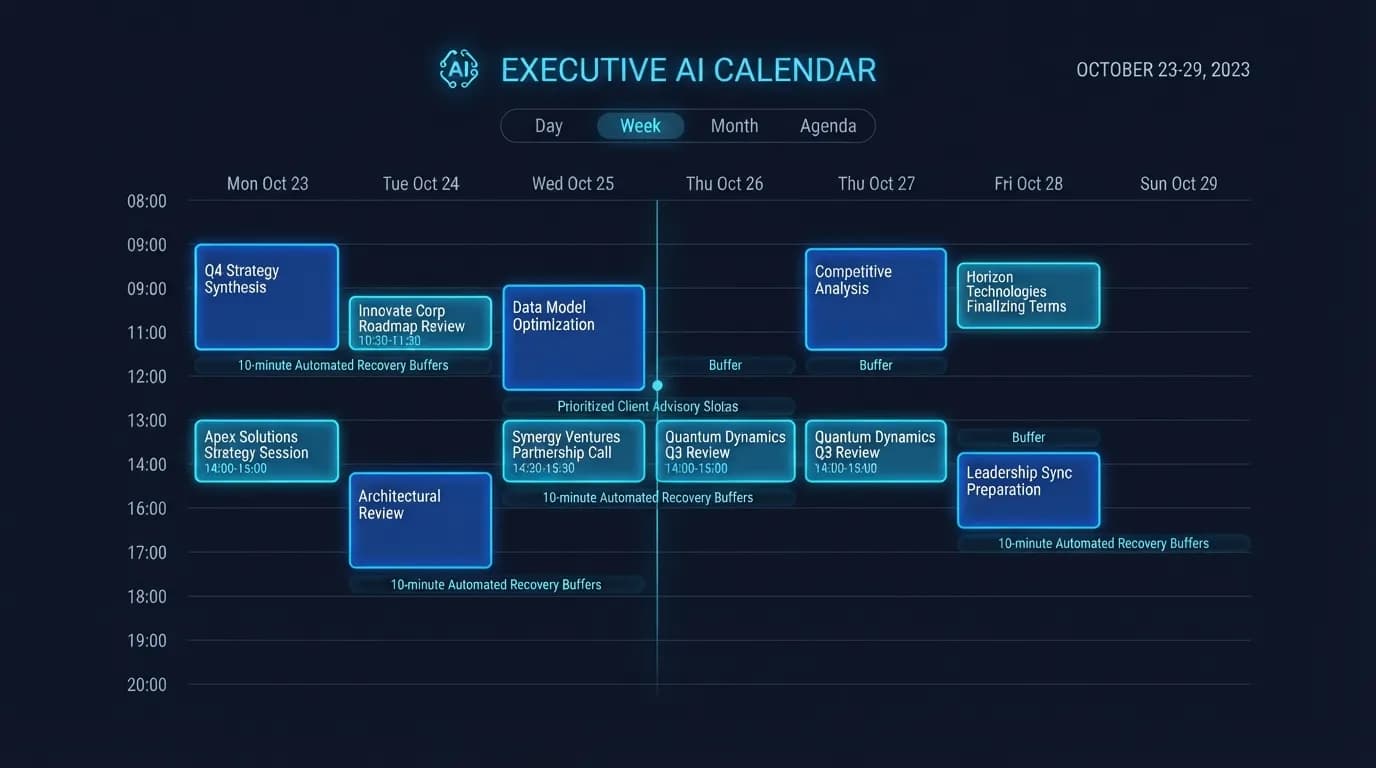
- When dealing with senior leadership: Executive strategists and boutique partners working with C-suite clients require reciprocal scheduling that respects the client's cognitive load and reflects effortless polish.
Here is a practical breakdown of the modern scheduling software landscape for consultants in 2026, from built-in workspace tools to dedicated platforms, and how to bridge the gap between open availability and predictable revenue.
The Native Baseline: Google Calendar vs. Microsoft Bookings
Before buying standalone software subscriptions, many independent consultants consider the tools already included in their existing workplace suites.
Microsoft Bookings
If your consulting practice runs entirely on Microsoft 365 Business, Microsoft Bookings is already paid for. It integrates natively with Outlook, automatically detects conflicts across work schedules, and provisions unique Microsoft Teams links for every scheduled session.
Where it works well:
- Zero extra software cost for firms already paying for Microsoft 365.
- Dependable calendar synchronization within corporate enterprise environments.
- Support for multi-staff booking schedules and automated email confirmations.
Where it falls short:
- Lacks native payment processing via Stripe or PayPal, making it impossible to charge upfront session fees or retainers.
- Basic intake forms with minimal customization and no conditional branching.
- Clunky user interface that feels administrative rather than client-centered.
Verdict: A solid baseline utility for corporate B2B consultants working inside client Microsoft environments who do not need upfront payments or deep qualification forms.
Google Calendar Appointment Schedules
Built directly into Google Workspace, Appointment Schedules allows solo operators to share clean booking links that check availability across multiple Google calendars.
Where it works well:
- Clean, familiar interface that clients recognize and trust immediately.
- Native Stripe integration that lets solo consultants collect session fees directly at the time of booking.
- Ability to verify conflicts across up to six external Google calendars to prevent double booking.
Where it falls short:
- Intake forms are strictly linear: no conditional logic, file upload fields, or scored questions.
- Lacks native support for prepaid multi-session packages or recurring retainer billing.
- Basic automated reminders with limited custom branding control.
Verdict: Great for independent contractors and solo practitioners offering straightforward one-on-one sessions, but inadequate once you require advanced lead screening or multi-tier packaging.
Dedicated Scheduling Platforms: Matching Tool to Model
When native workspace tools hit their functional limits, dedicated scheduling platforms provide the specialized routing, payment architectures, and intake mechanics consultants require.
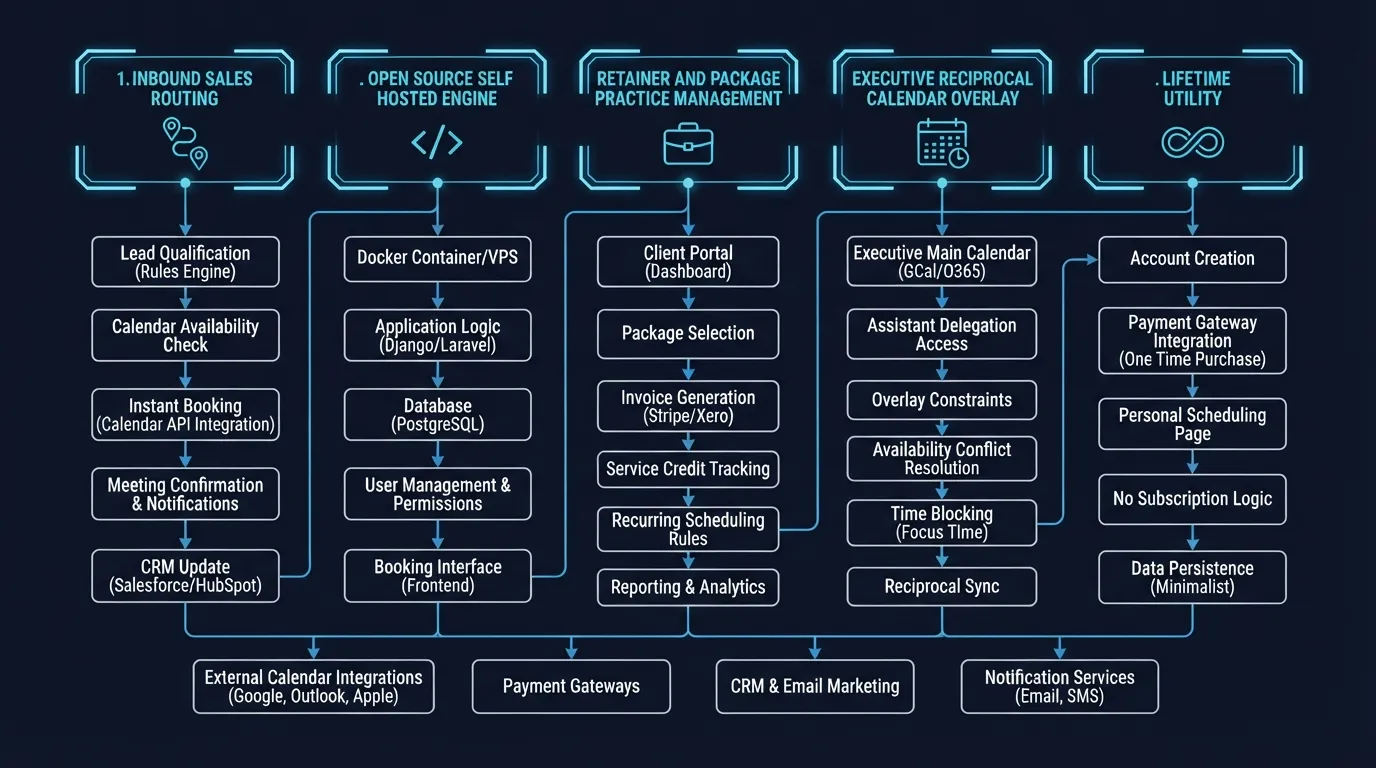
1. Calendly: The Frictionless Default
Calendly remains the dominant market leader, having established the standard convention for meeting links across knowledge work.
Core Strengths:
- Universal Recognition: Prospective clients know and trust the interface, which minimizes booking drop-off for discovery calls.
- Enterprise Routing: The Teams and Enterprise tiers offer multi-variable routing forms that dynamically distribute incoming inquiries across partners via round-robin assignment.
- Deep CRM Integrations: Bi-directional synchronization with Salesforce, HubSpot, and Marketo to log activity and move deals forward automatically.
Key Limitations:
- Per-Seat Pricing Compounding: Calendly Standard costs $10 to $12 per user monthly, but team routing requires upgrading to the Teams tier at $16 to $20 per seat monthly. A five-person practice pays $960 annually, while larger firms face steep volume tiers or a $15,000 Enterprise minimum.
- Zero Retainer or Package Tracking: Calendly has no native mechanism to track prepaid coaching packages, recurring retainers, or session balances.
- Linear Intake Only: Custom questions lack conditional branching, meaning you cannot dynamically alter questions based on a prospect's previous answers.
Best For: Inbound sales teams, multi-partner agencies, and consultants who prioritize volume, brand recognition, and deep CRM automation.
2. Cal.com: The Open-Source Powerhouse
Cal.com was built as an open-source, developer-friendly alternative to proprietary scheduling SaaS, focusing on code ownership, privacy, and customization.
Core Strengths:
- Unmatched Data Sovereignty: Available as an AGPLv3 open-source deployment, technical consultancies can self-host the entire platform on a private VPS for roughly $5 per month, ensuring client metadata never touches third-party commercial clouds.
- Generous Free Cloud Tier: The managed cloud version includes unlimited event types, unlimited bookings, multiple calendar connections, and native Stripe payment processing without monthly platform fees.
- Extensible API and Embeds: Built on Next.js, allowing technical consultancies to embed booking workflows seamlessly into client portals and custom web applications.
- Voice AI Innovations: Integrates with Cal AI, an autonomous voice agent that can answer inbound calls, screen prospect inquiries, and confirm bookings over the phone.
Key Limitations:
- Self-hosting requires developer maintenance, server configuration, and manual updates.
- Advanced administrative governance and custom subdomains require paid team plans ranging from $12 to $37 per user monthly.
Best For: Technical consultancies, engineering advisories, cybersecurity firms, and cost-conscious solo operators who value data privacy and code control.
"A calendar coordinates open slots, but an intake gateway coordinates revenue. Whether your current goal is driving booking volume without drop-off, or filtering inquiries through strict qualification gates, the objective is the same: stop wasting billable capacity on cold, unvetted calls and spend your best hours with serious, pre-warmed leads who are ready to invest."
Whether you need frictionless pipeline capture or selective calendar gating, discover how Simple Intake engineers custom intake gateways tailored to your advisory model.
3. Acuity Scheduling: The Service Delivery Workhorse
Owned by Squarespace, Acuity Scheduling operates as a specialized practice management engine rather than a simple link generator. It is engineered specifically for professionals who sell their time in packages, retainers, and structured engagements.
Core Strengths:
- Advanced Conditional Intake Forms: Acuity supports dynamic branching questionnaires, allowing consultants to collect project scope details, require document links, and filter prospects before confirming meetings.
- Native Package and Retainer Management: Unlike Calendly, Acuity natively tracks multi-session packages, recurring monthly memberships, and prepaid client credits, automatically decrementing balances with each booking.
- Flat-Rate Account Economics: Acuity charges by calendar capacity rather than per-seat licensing. The Standard plan costs $27 per month (billed annually) for up to six bookable calendars. A five-person team pays $324 per year on Acuity, compared to $960 on Calendly Teams.
- Healthcare and Regulatory Compliance: Acuity offers a formal Business Associate Agreement (BAA) on its Premium tier, enabling HIPAA compliance for executive wellness and clinical advisors.
Key Limitations:
- Out-of-the-box interface feels dated compared to SavvyCal or Calendly, requiring custom CSS tweaks for high-end polish.
- Lacks native round-robin sales routing for complex enterprise CRM pipelines.
Best For: Executive coaches, fractional advisors, and consulting practices that monetize time through retainers, prepaid multi-session blocks, and structured intake questionnaires.
4. SavvyCal: The Executive Polish Experience
SavvyCal was designed to eliminate the subtle social friction and cognitive burden of traditional scheduling links.
Core Strengths:
- Reciprocal Calendar Overlay: When a prospect opens a SavvyCal link, their own Google or Outlook calendar can be overlaid directly on top of the consultant's availability grid. The client never has to toggle between tabs to check open slots.
- Ranked Availability: Consultants can mark preferred meeting times without closing off secondary slots, subtly guiding clients toward ideal windows while maintaining booking flexibility.
- Perceived Respect and Polish: Sending a SavvyCal link signals high-touch consideration for the recipient's time, avoiding the transactional, self-centered feel of raw Calendly links.
- Payment Handling: Supports Stripe payments on its Premium tier ($17 per user per month billed annually).
Key Limitations:
- No permanent free plan; 7-day trial only.
- Basic intake form capabilities without conditional branching logic.
- Lacks complex enterprise CRM pipeline routing.
Best For: Boutique strategy advisors, solo partners, and consultants dealing with senior executives, where recipient experience and brand polish matter most.
5. TidyCal: The Lean Lifetime Utility
Created by AppSumo, TidyCal is an ultra-affordable utility that replaces recurring monthly SaaS subscriptions with a one-time purchase.
Core Strengths:
- Lifetime Licensing: Offers an Individual Lifetime plan for a single payment of $29, unlocking 10 calendar connections, unlimited event types, and automated video links (Zoom, Google Meet, Teams).
- Native Payments: Accepts client payments via Stripe and PayPal at the time of booking.
- Zero Overhead: Eliminates monthly software bills for independent consultants who only need clean, reliable booking links.
Key Limitations:
- Charges a 1 percent platform transaction fee on Stripe payments on lifetime plans (waived on the $12 per month Pro plan).
- Minimal form customization and no conditional intake logic.
- Basic branding controls with limited enterprise integrations.
Best For: Independent contractors, freelance specialists, and cost-conscious solopreneurs who want to eliminate recurring software expenses.
Scheduling Platform Comparison Matrix
| Platform | Core Architecture | Pricing Structure | Payment Gateways | Standout Advantage | Ideal Consultant Model |
|---|---|---|---|---|---|
| Calendly | Proprietary SaaS | $10 to $20 per seat monthly | Stripe, PayPal | Universal brand recognition and CRM routing | Inbound sales, agency teams, high-volume routing |
| Cal.com | Open-Source Next.js | Free cloud tier; ~$5/mo self-hosted | Stripe, PayPal | Code ownership, data privacy, developer API | Technical consultancies, engineering advisories |
| Acuity | Practice Engine | $16 to $49 flat monthly | Stripe, Square, PayPal | Conditional intake forms and package credit tracking | Coaches, retainers, structured multi-session advisory |
| SavvyCal | UX Overlay Web App | $10 to $17 per seat monthly | Stripe (Premium) | Reciprocal calendar overlay and ranked availability | Strategy boutiques, executive partners, high-touch advisory |
| TidyCal | Lightweight Utility | $29 one-time lifetime | Stripe, PayPal | Complete elimination of recurring SaaS fees | Solopreneurs, freelancers, lean operators |
| MS Bookings | M365 Suite Utility | Included in M365 Business | None | Native Outlook sync and automatic Teams provisioning | Corporate consultants embedded in Microsoft firms |
| Google Sched | Workspace Utility | Included in Workspace | Stripe | Seamless Google Calendar conflict checking and simple pay | Solo operators requiring quick paid booking links |
The Architectural Blind Spot: Calendars Display Slots, Gateways Bridge the Gaps
Choosing the right calendar platform solves the mechanics of time coordination. But here is the critical distinction most consultants miss:
A calendar tool coordinates availability; it does not manage client intake.
A calendar simply reveals when you have an open slot. When you drop an ungated booking link onto your website, in a proposal, or across social messages, you treat your consulting time as an unvetted public utility.
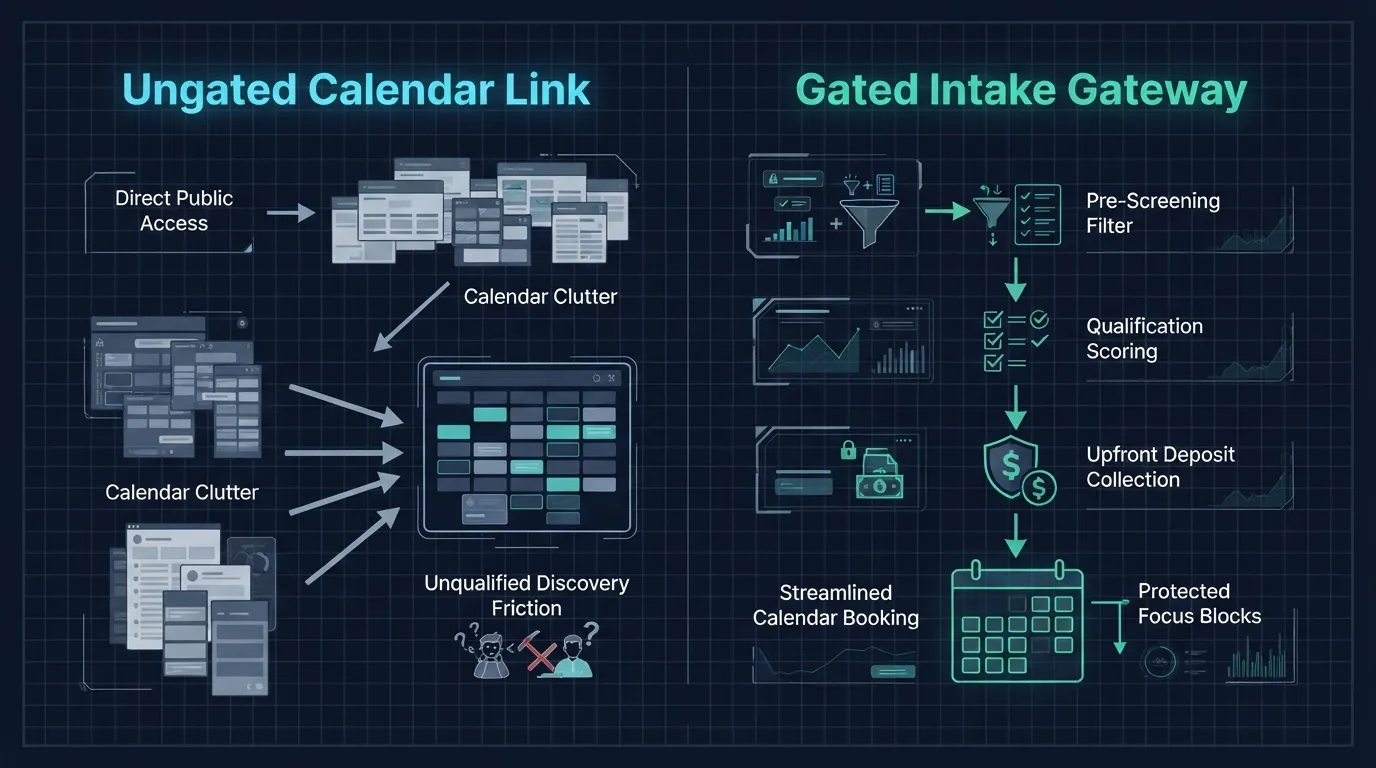
This creates two opposite operational bottlenecks depending on your stage:
- The Volume Gap: When you are actively looking for clients, a raw calendar link does not build credibility or tell a compelling story. Prospects click the link, see a sterile date picker, hesitate, and leave. You lose potential clients because your booking interface fails to capture momentum.
- The Gating Deficit: Once inquiries pick up, that same open link floods your schedule with unqualified calls. You spend 11 to 18 hours a week on calls, suffering 15 to 30 percent no-show rates and losing billable hours to prospects who cannot afford your rates or need services you do not provide.
Relying solely on a calendar forces you to perform the intake, qualification, and scope vetting inside the meeting itself. You spend the first 20 minutes discovering whether the call is worth having.
How Simple Intake Bridges the Stack: From Volume Capture to Selective Gating
You do not need to discard your existing calendar system. Whether you run on Google Calendar, Cal.com, Acuity, or Calendly, your calendar engine handles scheduling mechanics effectively.
What bridges the gap is an Authority Gateway placed directly in front of the calendar.
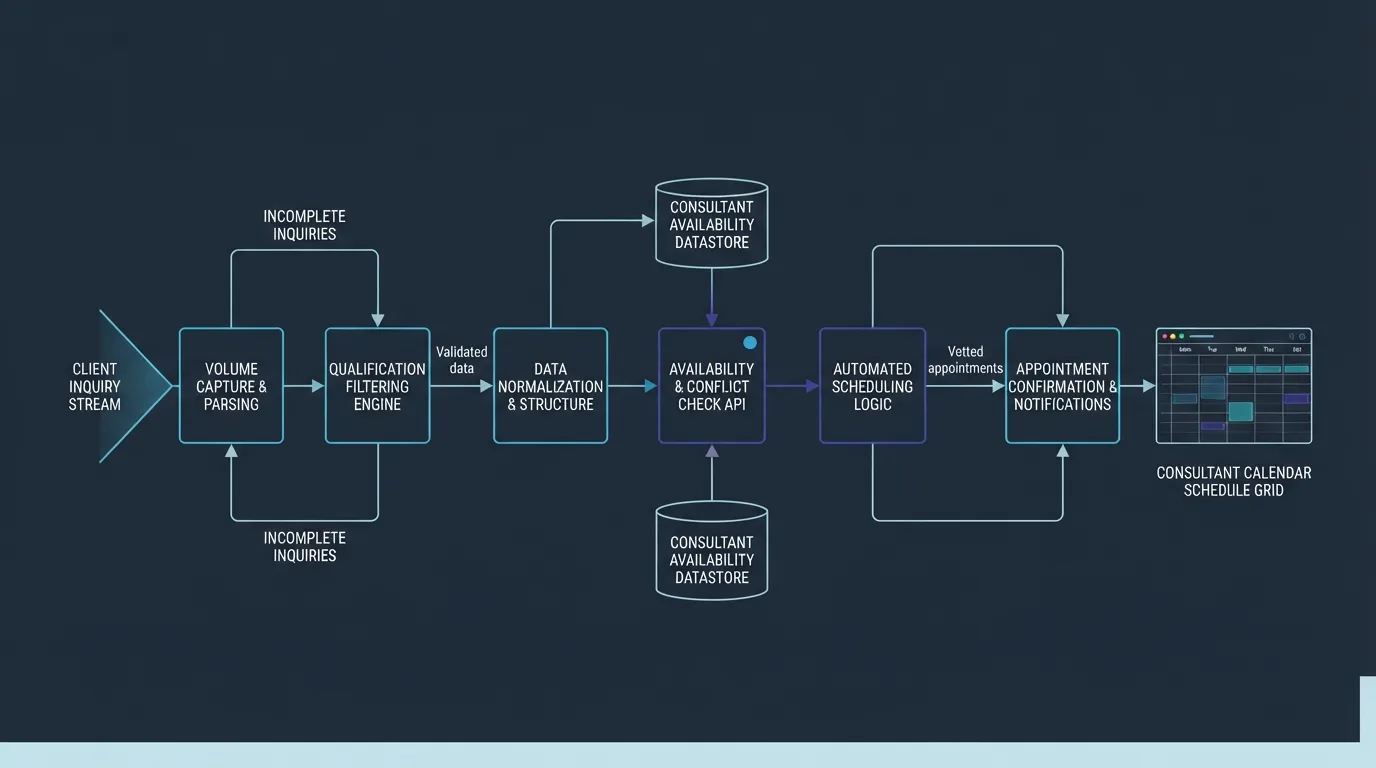
An intake gateway is an adaptive operational layer that adjusts to your practice's changing needs:
- When you need volume: The gateway serves as a high-converting conversion node. It articulates your value proposition, collects project requirements cleanly, and guides serious leads directly into your calendar without administrative lag.
- When volume is established: The gateway transitions into a selective filter. It deploys conditional questionnaires to screen budget, scope, and authority, and collects upfront diagnostic fees or session deposits via Stripe before anyone can reserve your time.
- The Handoff: Once a prospect meets your criteria and completes the qualification steps, the gateway automatically connects to your underlying calendar (Calendly, Cal.com, Acuity, or Google Calendar) to confirm the appointment.
This is the exact infrastructure that Simple Intake designs and manages. Instead of forcing consultants to juggle disconnected tools or manage complex automation zaps, Simple Intake builds done-for-you intake gateways that adapt dynamically: capturing demand when you need pipeline, and gating your calendar when you need protection.
Summary: How to Choose Your Scheduling Stack
To select the right scheduling platform for your practice, align your choice with your operational priorities:
- If you work inside Microsoft corporate environments and need basic synchronization: Use Microsoft Bookings.
- If you want a quick, clean Google-native booking link with simple Stripe payments: Use Google Calendar Appointment Schedules.
- If you run inbound marketing campaigns and need automated CRM lead distribution: Choose Calendly.
- If you require absolute data sovereignty, code ownership, or private hosting: Deploy Cal.com.
- If you sell multi-session coaching packages, retainers, or require dynamic intake branching: Choose Acuity Scheduling.
- If you advise C-suite executives and want to eliminate scheduling friction for the recipient: Pick SavvyCal.
- If you are a solo consultant looking to eliminate recurring subscription costs: Grab TidyCal.
Once your calendar engine is in place, bridge it with an intake gateway. When you need volume, use it to capture momentum. When you have volume, use it to filter and gate your time.